Processing Order Returns and Refunds on Shopify

Managing returns and refunds is a crucial part of running an online store. Delays or mishandling in this process can harm your reputation and impact your bottom line.
Fortunately, Shopify makes it simple to handle refunds and returns, helping you maintain strong customer relationships and streamline operations. With 49% of UK online shoppers returning goods in the past year, having a clear and efficient process is more important than ever.
In this article, we’ll walk you through Shopify return management, including the Shopify returns process, Shopify refund process steps to manage returns, address common issues, and refine your refund policies to enhance customer satisfaction.
Let’s dive in!
What Are The Steps Of Shopify Returns Process?
Shopify makes handling returns straightforward for both customers and merchants. The steps vary depending on whether you’re a customer initiating a return or a merchant processing one. Here, have a look at the Shopify returns process steps:
For Customers (Self-Serve Returns)
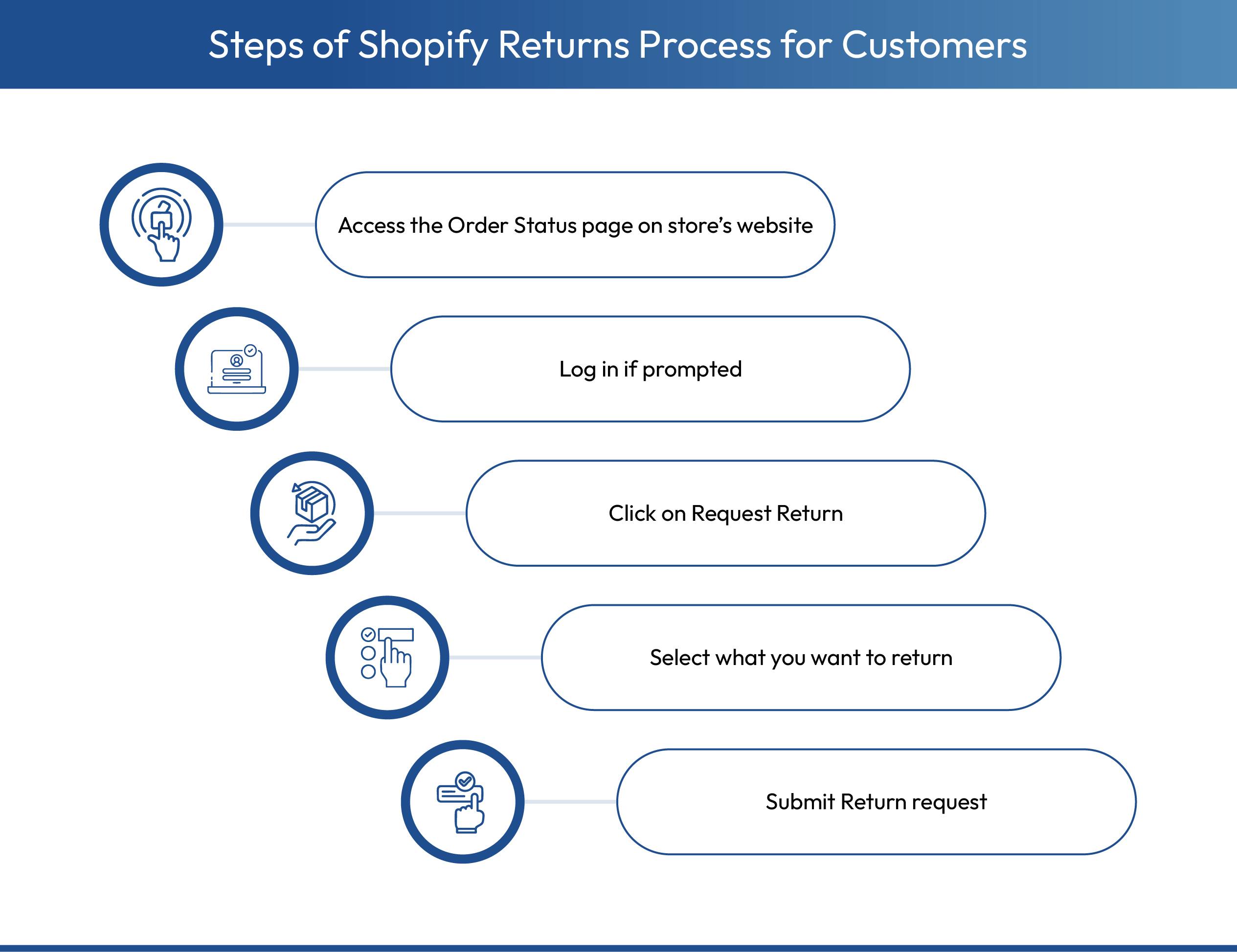
- Go to the store’s website and access the Order Status page.
- You may need to log in or use your order confirmation email to find your purchase.
- Click the “Request return” button on the order you want to return.
- Choose which items and quantities you want to return.
- Provide a reason for the return.
- Click “Request return” and follow the instructions to receive shipping details and a return label.
For Merchants (Processing Returns in Shopify Admin)
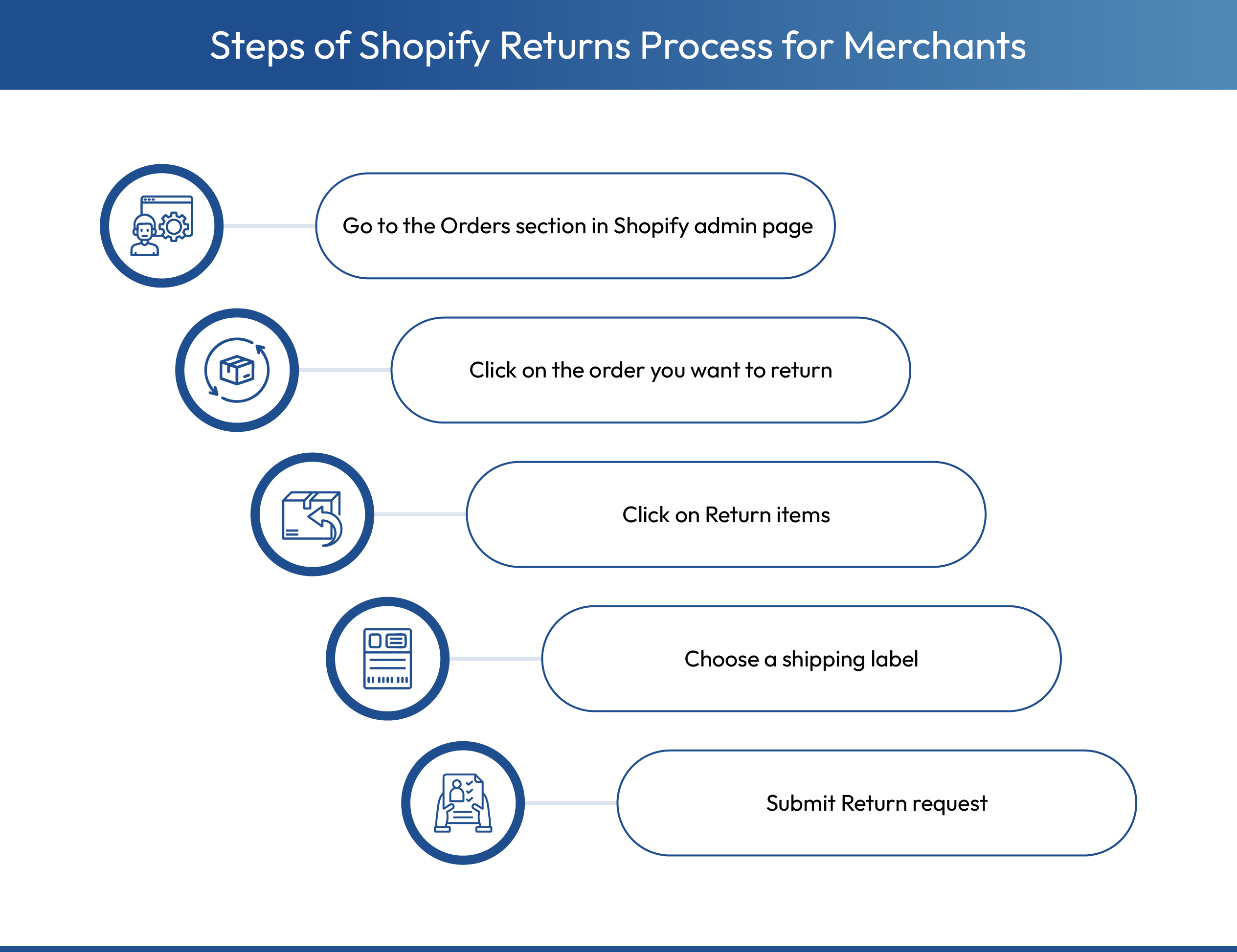
- In your Shopify admin, navigate to the Orders section.
- Click on the specific order you need to return.
- Click “Return items”.
- Enter the quantity for each item being returned and select the reason.
- Choose a shipping option: either generate a shipping label in Shopify or upload one.
- Click “Create return”.
- Once the returned items are received, process the refund directly from the order page.
Key Merchant Settings for Returns
- Return Rules: Set policies such as return windows (e.g., 30 days) and determine whether customers pay for return shipping.
- Self-Serve Returns: Enable this feature so customers can start returns on their own from the order status page, reducing your manual workload.
Do your return policies truly reflect your brand? Create and manage custom return and exchange policies with Return Prime.
Understanding Shopify Refund Process
Refunds are the secret to maintaining customer satisfaction within your Shopify store. Here’s how the Shopify refund process is initiated:
1. Confirming Shopify Refund Completion
- After processing a refund, Shopify automatically updates the order details page with the refund status.
- Always verify the order details page to ensure the refund transaction is complete.
- To avoid confusion, maintain clear documentation of the refund process.
- Send a confirmation email to the customer that includes:
- Details of the refund transaction.
- A note confirming that the refund has been successfully completed.
2. Communicating Refund Timeframes
- Refunds are not instantaneous and may take a few days to appear in the customer’s account.
- Shopify typically processes refunds within 1–3 business days.
- The time it takes for the refund to reflect depends on the customer’s bank or credit card provider.
Be proactive by informing customers of these timelines upfront to manage expectations and reduce follow-up inquiries. This transparency helps build trust and improves the overall customer experience.
Rated an impressive 4.9/5 by users Return Prime is the top choice for Shopify merchants to centralize and simplify returns, exchanges, and Shopify refunds.
How You Can Handle Shopify Returns & Exchanges in Your Store?
Handling returns and exchanges on Shopify starts with setting clear rules and policies, then efficiently processing requests through the admin panel. Using self-serve return portals or third-party apps can further streamline the process. Check the steps to handling returns on Shopify:
1. Set Up Your Return System
- Create a Return Policy: Define return windows, item condition requirements, non-returnable items, shipping costs, and refund methods.
- Enable Self-Serve Returns: Allow customers to initiate returns from their accounts to reduce support workload.
2. Process Returns & Exchanges
- Start the Return: Go to Orders, select the order, click Return, and choose items with reasons.
- Manage Return Shipping: Upload a label, create one via Shopify Shipping, or mark as “No shipping required.”
- Process the Return: Inspect received items and click Process return in the order.
- Issue Refunds or Exchanges: Refund full or partial amounts to the original payment method or provide replacement items, handling any price differences.
- Notify Customers: Shopify automatically updates customers at each stage of the return process.
So, what are the factors that affect refund amounts on Shopify? Let us find out.
What Factors Affect the Refund Amount?
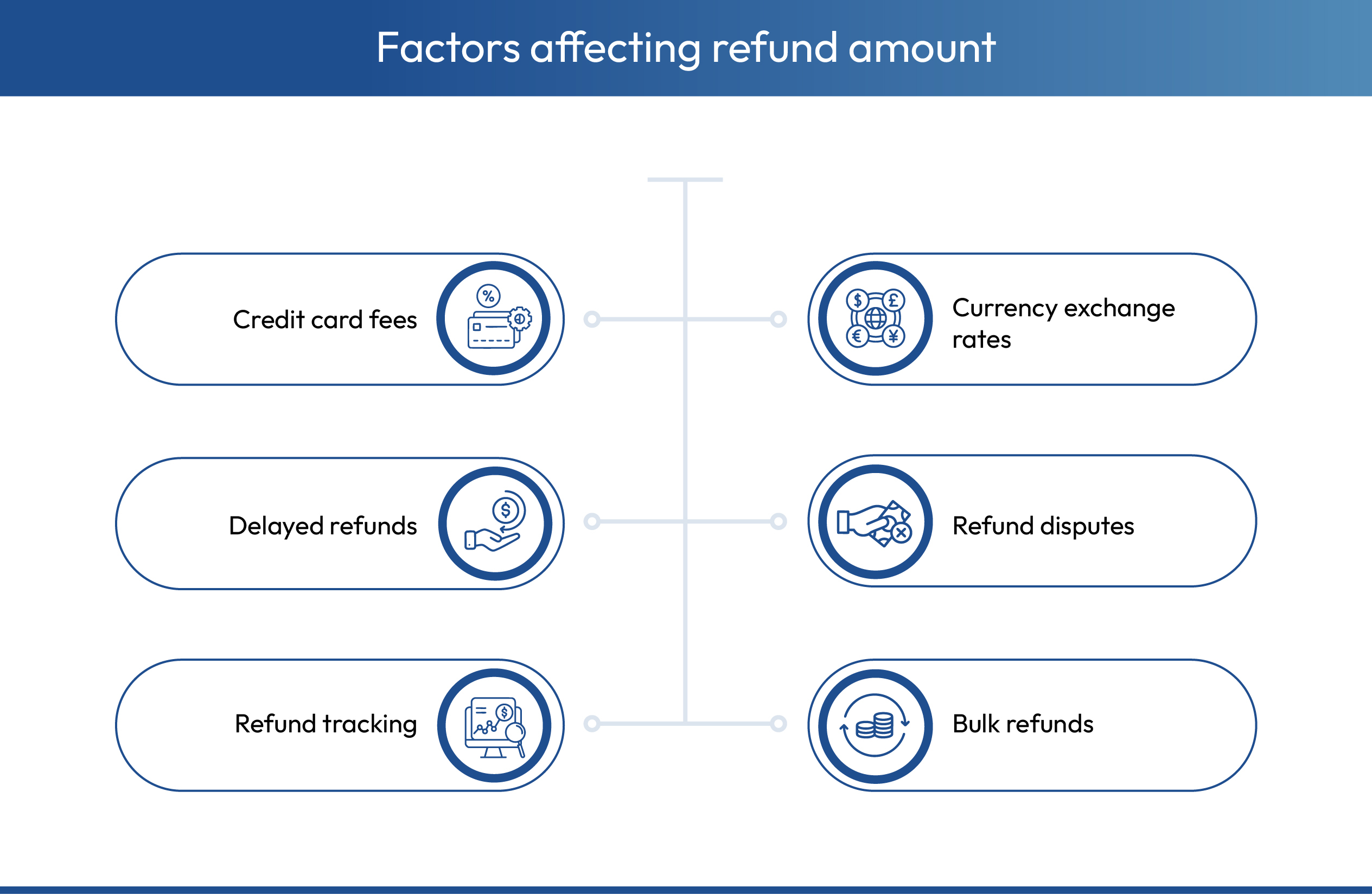
Let's explore the elements affecting the final refund value and offer tips on effectively addressing them.
- Credit Card Fees: Shopify does not refund credit card processing fees, so merchants may need to absorb these costs and plan pricing accordingly.
- Currency Exchange Rates: Currency exchange rate fluctuations can change refund amounts for international orders, so clear communication and referencing your return policy is essential.
- Delayed Refunds: Refunds can take longer than expected, which may frustrate customers. Merchants should notify customers proactively and provide updates through Shopify.
- Refund Disputes: Disputes can arise if customers claim they did not receive a refund. Having a standard resolution process and coordinating with payment processors helps resolve these issues efficiently.
- Refund Tracking: Limited visibility into refund progress can create confusion. Using tracking apps and internal systems ensures transparency and accountability.
- Bulk Refunds: Handling multiple refunds at once increases the risk of errors. Merchants can reduce mistakes by implementing bulk refund systems, verifying transactions, and using Shopify reports for oversight.
Now that we know about the factors affecting refund amounts, let us understand the timing of refund issuance.
What Is The Timing of Refund Issuance?
Refund timing is a key concern for customers awaiting their money. Understanding Shopify’s refund process and the role of financial institutions can help you set realistic expectations and maintain customer satisfaction.
1. Shopify’s Refund Process
- Shopify initiates refunds immediately after they are processed.
- The actual transfer time depends on external banks and payment processors.
Potential Delays:
- Customer’s bank processing time.
- Issues with the payment processor.
Solution: Regularly monitor transactions to ensure smooth processing and promptly address any anomalies to maintain customer trust.
2. Processing Time for Banks and Credit Card Companies
- Refunds may take up to 10 business days to appear in the customer’s account, depending on their bank or credit card provider.
- Share this timeframe clearly with customers to set realistic expectations.
- Provide links to your refund policy or FAQ page to address common questions and offer additional transparency.
Are you concerned about customer satisfaction with returns? Return Prime offers your customers a seamless, hassle-free returns experience. It builds trust with features such as Wonder Promotions and Wonder Smart Exchange, enabling repeat purchases.
So, what are the common issues that occur while processing refunds, and what are the solutions? Let's discuss them.
What Are The Common Issues and Limitations of the Shopify Return Process?
Managing returns on Shopify can be challenging for merchants due to a combination of manual processes, limited automation, and system constraints. Below are the most common issues and limitations that affect efficiency, customer experience, and profitability.
- Handling Non-Returnable Items: Managing items that cannot be returned can be challenging, especially when return policies are unclear or inconsistently enforced.
- Partial Refunds and Inventory Impact: Issuing partial refunds may create discrepancies in inventory tracking, requiring careful manual adjustments.
- Manual and Time-Consuming Processes: Most returns, including approvals, label creation, inventory updates, and refunds, must be handled manually. This slows operations and increases errors as order volume grows.
- No Self-Serve Portal: Shopify’s native system lacks a branded self-service return portal, forcing communication through email or customer service and causing potential delays and frustration.
- Inefficient Exchanges: The platform does not streamline exchanges, often requiring merchants to manually create new orders or issue store credit, which is cumbersome.
- Limited Refund Options: Refunds are usually restricted to the original payment method. Offering instant store credit or other alternatives requires manual work or third-party apps.
- Basic Policy Setup: Merchants have limited flexibility to create granular return rules for different product categories, customer types, or situations.
- Generic Branding Experience: The return process is not fully branded, making the post-purchase journey feel disconnected from the store experience.
- Limited Reporting and Analytics: Default reporting provides minimal insight into return patterns and reasons, making it difficult to identify product or operational issues.
- Reporting Discrepancies: Returns are deducted from sales figures when requested, not when processed, which can misrepresent actual sales and create “refund owed” balances.
- Non-Refunded Fees: Shopify does not return credit card processing fees, which reduces overall profitability.
- Scalability Challenges: Manual processes and lack of automation make it difficult for high-volume or rapidly growing businesses to scale efficiently.
Why Automate Returns On Shopify?

Automating returns on Shopify offers multiple advantages for both merchants and customers.
- Increased Efficiency & Cost Savings: Automation reduces manual tasks like approving returns, printing labels, and sending updates, saving time and lowering operational costs.
- Enhanced Customer Experience: Self-service portals, instant approvals, and transparent tracking make returns faster and more convenient, boosting customer satisfaction and loyalty.
- Reduced Support Load: Customers can manage returns themselves, cutting down inquiries about refunds and order status, and freeing up your support team.
- Consistent Policy Enforcement: Automated systems apply return rules- eligibility, fees, or exchanges, accurately every time, minimizing errors and preventing abuse.
- Valuable Data & Insights: Automation collects return data, helping merchants identify product issues, sizing problems, or description gaps to improve future operations.
- Streamlined Logistics: Integrations with carriers allow automatic label generation and tracking, syncing smoothly with inventory and fulfillment systems.
- Fraud Prevention: Custom rules can limit excessive or unauthorized returns, protecting revenue and maintaining fair return practices.
What Are The Best Practices for Returns and Refunds?
Making the return and refund process hassle-free is about solving customer complaints and winning their loyalty and trust. Here are some practical tips and tools to help you ensure your return and refund policies work smoothly for both you and your customers.
- Establish Clear Return Policies: Write a transparent return policy that explains eligible items, timeframes, steps for returns, and common FAQs, and make it easy for customers to access.
- Use Shopify Refund Features to Automate Returns: Leverage apps like Returnly or AfterShip Returns Centre to automate returns, reduce errors, and streamline high-volume operations.
- Offer Multiple Refund Options: Provide alternatives such as store credit, exchanges, or refunds to the original payment method to improve flexibility and customer satisfaction.
- Enable Self-Service Returns: Allow customers to start returns directly from the order status page to reduce manual handling and speed up the process.
- Communicate Clearly Throughout the Process: Keep customers informed at every stage, including return approval, shipping instructions, and refund status, to build trust and reduce disputes.
- Monitor and Analyze Returns: Track return patterns, reasons, and volumes using Shopify reports or apps to identify product issues, operational bottlenecks, and opportunities for improvement.
Return Prime: Simplifying Returns for Shopify Stores
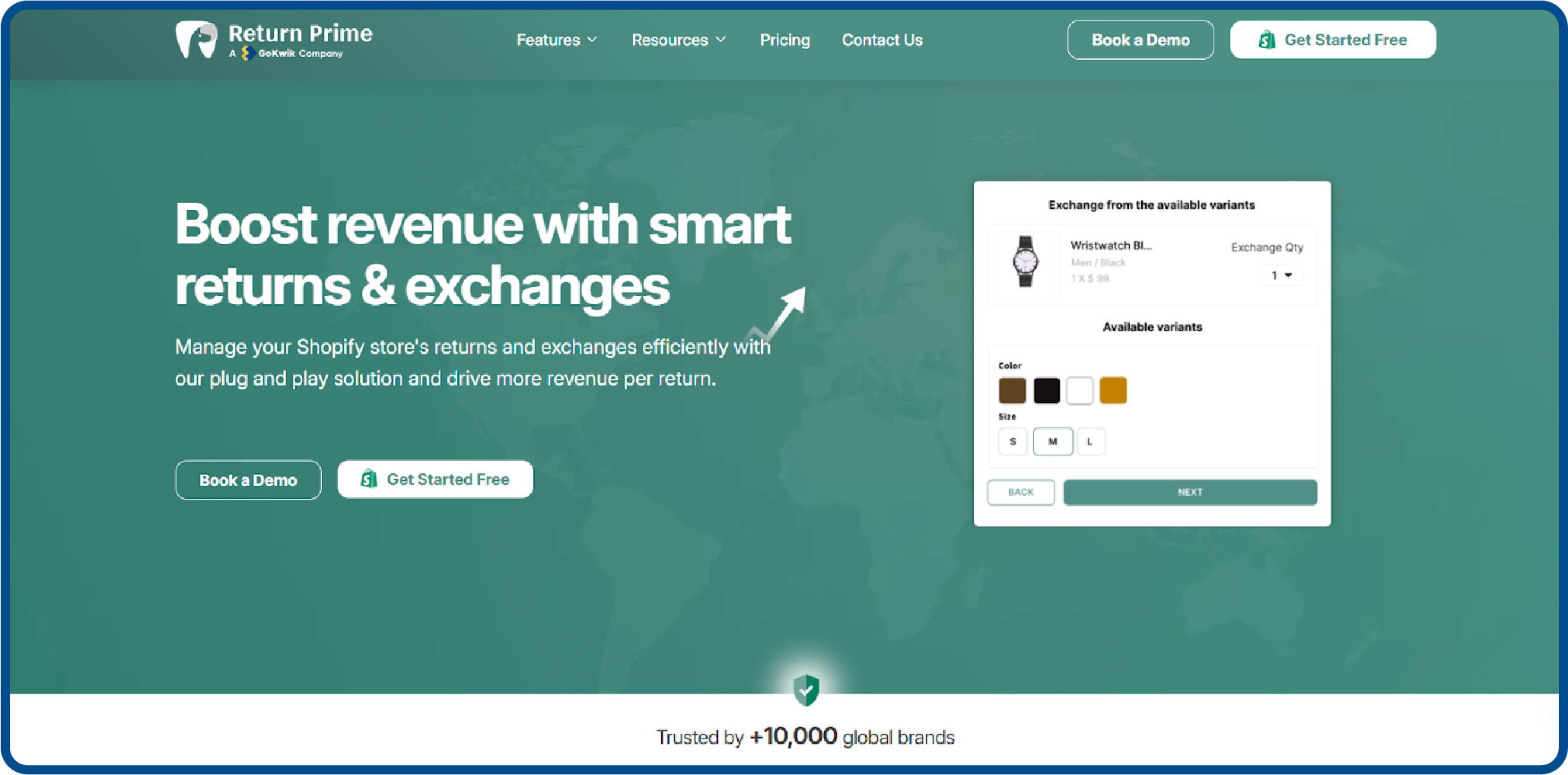
Return Prime is the ultimate return management platform for Shopify stores. It offers a centralized solution for returns, exchanges, and refunds, helping brands improve customer satisfaction and streamline operations.
Key Features:
- Centralized Return Management: Simplify returns, exchanges, and refunds with a single platform.
- Revenue Focused Features: Upsell products during return processes.
- Advanced Promotions: Turn refunds into store credits to retain customers.
- Smart Exchange: Promote exchanges over refunds to boost revenue.
- Automation: Automate workflows and notifications for efficient management.
- Analytics and ROI Tools: Measure and improve return performance.
- Extensive Integrations: Connect with over 30 apps for a seamless experience.
Conclusion
Returns and refunds are more than mere operational necessities; they represent something fundamental for a store to delight its customers and, eventually, retain them. The systematic way of Shopify will minimize errors, build trust, and maintain the store's credibility.
Periodically update return policies to meet customer expectations and market standards. With proactive planning and the right tools, you can turn a potential pain point into a competitive advantage and foster long-term customer loyalty.
Simplify and enhance your return management process with Return Prime today.
Frequently Asked Questions
What are the return rules in Shopify?
Shopify allows merchants to set return rules, including eligible items, timeframes, and conditions. Policies vary by store, so customers should check the store’s specific return policy to understand eligibility, deadlines, and required steps for returning products.
How does Shopify process refunds?
Once a return is approved, Shopify refunds the original payment method or store credit. Refunds may take several business days to appear, depending on the payment provider. Merchants manually or automatically issue refunds through the Shopify admin.
What is the difference between return and refund on Shopify?
A return is the process of sending back purchased items, while a refund is the reimbursement of money or store credit. Returns must be received and approved before Shopify processes the corresponding refund to the customer.
Can customers exchange items instead of getting a refund on Shopify?
Shopify does not natively support automated exchanges. Merchants typically handle exchanges by creating a new order, issuing store credit, or manually managing the process to provide the desired replacement item.
How does Return Prime help in automating Shopify Returns process?
Return Prime automates return workflows, enabling self-service returns, generating shipping labels, updating inventory, and managing refunds. It reduces manual work, improves accuracy, and enhances the customer experience while streamlining high-volume return operations.





.svg)


.svg)